
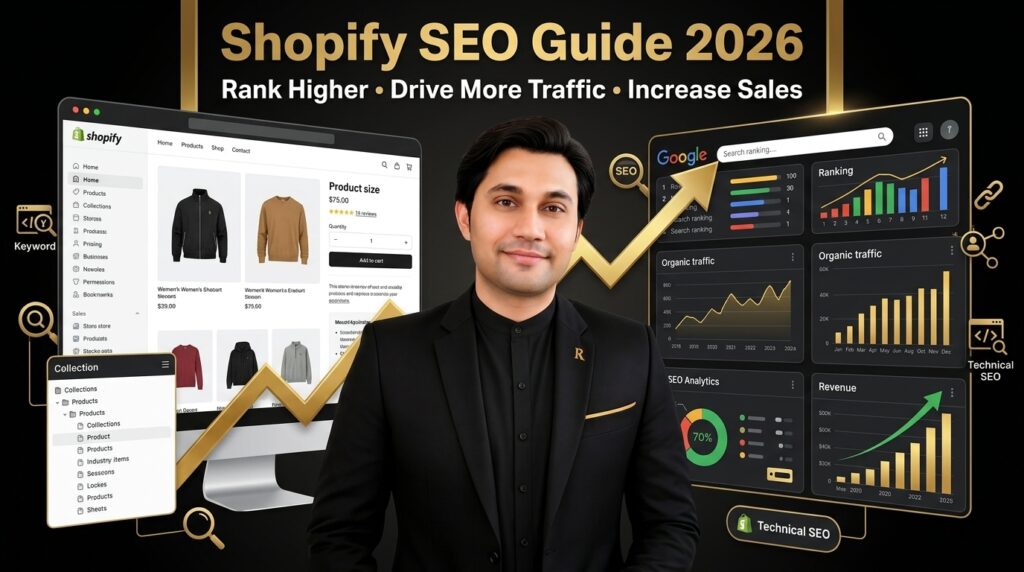
The Complete Shopify SEO Guide for 2026
Rank your Shopify store on Google without spending thousands on ads. Real strategies used by e-commerce brands in the USA, UK, and UAE.
Introduction: Why Shopify SEO is Your Most Important Asset in 2026
Most Shopify stores don't fail because their products are bad.
They fail because nobody finds them.
In 2026, the e-commerce landscape is brutal. Ad costs are climbing. Meta ads cost 40% more than they did in 2022. Google Ads keep rising. TikTok Shop is fragmenting where customers discover new brands. And every freelancer and agency is promising the same thing: "We'll grow your store with ads."
But here's what nobody tells you: Ads are expensive. SEO is expensive once. Then it pays forever.
A Shopify store that ranks on Google for "men's leather wallets" or "organic skincare products" will generate consistent revenue for months, years, even indefinitely — without paying per click.
This guide covers everything you need to know to build an SEO strategy that works in 2026. We'll walk through:
- Why SEO matters more than ever for Shopify stores
- Real benchmarks and data (not guesses)
- Keyword research that actually converts
- How to optimize every product page for rankings AND conversions
- Technical SEO specific to Shopify
- Content strategies that rank and sell
- Link building that works (no black hat tactics)
- A 90-day action plan you can start today
This is the guide I use with my own clients. Real strategies. Real results.
Shopify store owners and D2C brands generating $10K–$500K/year who want consistent organic traffic. Home decor, fashion, beauty, skincare, lifestyle, accessories, and product-based businesses in USA, UK, Canada, UAE, Australia.
Quick Navigation
- What Is Shopify SEO? (And Why It's Different)
- Why SEO Matters More Than Ever in 2026
- Shopify SEO Benchmarks & KPIs
- Keyword Research for E-Commerce
- Product Page SEO: The Revenue Driver
- Collection Page Optimization
- Technical SEO for Shopify
- Content Marketing & Blogging Strategy
- Link Building That Works
- 12 Common Shopify SEO Mistakes
- Essential Shopify SEO Tools
- 90-Day SEO Action Plan
- FAQs
- Free Store Audit
What Is Shopify SEO? (And Why It's Different from Regular SEO)
Shopify SEO is the process of optimizing your Shopify store so it ranks higher on Google for keywords your customers are actually searching for.
But Shopify SEO is not the same as regular website SEO.
With a blog or content site, you're trying to rank for informational keywords: "how to...", "best...", "what is...". With a Shopify store, you're optimizing for commercial and transactional keywords — the ones where people are ready to buy.
Shopify SEO vs. Other Traffic Sources
| Traffic Source | Cost Per Click | Scalability | Timeline | Longevity |
|---|---|---|---|---|
| Google SEO (Organic) | $0 | Unlimited | 3–12 months | Years (compounding) |
| Meta Ads (Facebook/Instagram) | $0.50–$3.00 | Medium (scaling hits diminishing returns) | 1 day (instant) | Only while you pay |
| Google Ads (PPC) | $1.00–$5.00 | Medium | 1 day (instant) | Only while you pay |
| TikTok Shop / Influencers | Variable | Low-Medium | Variable | Only while active |
See the difference? SEO is the only traffic source that:
- Costs nothing per click after the initial setup
- Scales infinitely (if you rank for 100 keywords, that's 100 traffic streams)
- Compounds over time (older content often ranks better as it gains authority)
- Doesn't disappear if you stop paying (unlike ads)
Why Shopify SEO Matters More Than Ever in 2026
Rising Ad Costs Are Making SEO Mandatory
In 2020, the average Cost Per Acquisition (CPA) via Meta ads for e-commerce was $30–$50.
In 2024, it's $75–$150 for most niches.
In 2026? It's expected to keep rising.
Why? Because:
- More businesses are competing for the same ad space
- iOS privacy changes limit targeting accuracy
- Meta and Google keep raising ad prices (it's their business model)
- Saturation in popular niches (beauty, fashion, home decor) means higher competition
If your only growth lever is paid ads, you're caught in a pricing trap. Every quarter, you're spending more to get the same customer.
Google Still Controls 90% of Search Traffic
Despite TikTok, Instagram Reels, and YouTube Shorts, Google still drives 90% of all search traffic globally according to Statista 2024 data.
And search intent is highest at Google. Someone searching "buy leather wallet" on Google is ready to buy. Someone scrolling TikTok videos might not be.
E-Commerce SEO Has Become Standard
Your competitors are doing it. Your top 3 competitors in any niche have blogs, optimized product pages, and backlinks. If you don't, you're already behind.
The stores that will win in 2026 aren't those with the biggest ad budgets. They're the ones who combine paid ads with organic SEO for a diversified growth strategy.
Shopify SEO Benchmarks & KPIs to Track
Before you optimize, you need to know what "good" looks like.
Organic Traffic Benchmarks
| Store Revenue Level | Good Organic Traffic | Excellent Organic Traffic | Organic as % of Revenue |
|---|---|---|---|
| $10K–$50K/year | 100–500 sessions/month | 1,000+ sessions/month | 20–30% |
| $50K–$200K/year | 2,000–5,000 sessions/month | 10,000+ sessions/month | 25–40% |
| $200K–$1M/year | 10,000–25,000 sessions/month | 50,000+ sessions/month | 30–50% |
| $1M+/year | 50,000+ sessions/month | 100,000+ sessions/month | 40–60% |
Conversion Rate Benchmarks
| Metric | Poor | Average | Good | Excellent |
|---|---|---|---|---|
| Store Conversion Rate | <0.5% | 0.5–1.5% | 2–3% | 3%+ |
| Organic Traffic Conversion | <0.3% | 0.5–1% | 1.5–2.5% | 2.5%+ |
| Product Page Click-Through Rate (CTR) from Google | <1% | 1–2% | 3–5% | 5%+ |
| Page Load Speed (Desktop) | >4 sec | 2–4 sec | 1.5–2 sec | <1.5 sec |
| Mobile Load Speed | >5 sec | 3–5 sec | 2–3 sec | <2 sec |
| Bounce Rate (Organic) | >70% | 50–70% | 35–50% | <35% |
Keyword Research for E-Commerce (The Complete Framework)
Keyword research is the foundation of Shopify SEO. If you target the wrong keywords, even the best product page won't generate sales.
The 4 Types of E-Commerce Keywords
1. Transactional Keywords (Highest Priority)
These are keywords where someone is ready to buy RIGHT NOW.
Examples:
- "buy leather wallet online"
- "men's organic cotton t-shirt"
- "best anti-aging retinol serum"
- "minimalist white wall clock"
- "affordable luxury skincare routine"
Why these matter: They have high purchase intent. If you rank for "buy leather wallet", you'll get sales. These should be 60–70% of your keyword strategy.
2. Commercial Keywords (High Priority)
Keywords where people are comparing products or researching before buying.
Examples:
- "best leather wallets for men"
- "organic cotton vs synthetic fabric"
- "retinol vs vitamin C serum"
- "luxury wall clocks under $200"
Why these matter: High intent. These rank easier than transactional. They're bridges to conversion. 20–30% of your strategy.
3. Informational Keywords (Medium Priority)
People are learning, not necessarily ready to buy yet.
Examples:
- "how to style a leather jacket"
- "benefits of organic cotton"
- "retinol for beginners: complete guide"
- "why luxury matters in interior design"
Why these matter: These rank easier (less competition). They build authority. They lead to commercial keywords. 5–10% of your strategy.
4. Brand/Navigational Keywords (Low Priority)
People searching for YOUR brand specifically.
Examples:
- "Amrika Leather wallet"
- "SparkleDecors wall clock"
Why these matter: You'll rank naturally if you're good. Don't waste time here yet.
Keyword Research Process (Step-by-Step)
Step 1: Start with Google Autocomplete
Type your main keyword into Google. Look at the autocomplete suggestions. These are real searches people make.
Example: Type "leather wallet" and Google suggests:
- leather wallet men's
- leather wallet RFID
- leather wallet slim
- leather wallet minimalist
These are your keyword variations. Write them down.
Step 2: Use Google Search Console
If you already have a Shopify store, go to Google Search Console > Performance.
Look at "Queries" — what are people actually searching for to find your site?
You'll see things like:
- "leather wallets" — 50 clicks, 200 impressions, 4.2% CTR
- "men's leather wallet" — 30 clicks, 150 impressions, 3.8% CTR
These show you what's already working. Double down on these.
Step 3: Research Tools (Free + Paid)
| Tool | Best For | Price |
|---|---|---|
| Ahrefs | Search volume, difficulty, competitor analysis | $99–$999/month |
| SEMrush | Keyword research, rank tracking, competitor analysis | $120–$1,200/month |
| Google Keyword Planner | Free keyword volume estimates (requires Google Ads account) | Free |
| Ubersuggest | Affordable keyword research and SEO audits | $15–$50/month |
| Answerthepublic.com | Questions people ask (great for blog content) | Free (limited) |
Keywords for Different Store Sizes
Your keyword strategy depends on how established you are:
If You're New (Less than 6 months old)
Target long-tail, lower-competition keywords first:
- "best leather wallets for minimalists" (instead of "leather wallet")
- "organic cotton t-shirts bulk" (instead of "t-shirts")
- "retinol serum for sensitive skin" (instead of "retinol serum")
These are easier to rank. Less competition. Once you have authority, go after bigger keywords.
If You're Established (6+ months, some rankings)
Go after your core transactional keywords:
- "buy leather wallet online"
- "men's organic cotton clothing"
- "best retinol serum 2026"
The Keyword Selection Framework
| Keyword Type | Monthly Volume | Competition | Priority | Timeline |
|---|---|---|---|---|
| Transactional (buy X) | 100–5,000+ | Medium-High | 🔴 HIGHEST | 3–6 months |
| Commercial (best X) | 200–10,000+ | High | 🔴 HIGH | 4–8 months |
| Informational (how to X) | 500–50,000+ | Medium | 🟡 MEDIUM | 2–4 months |
| Long-tail (specific) | 10–500 | Low-Medium | 🟢 QUICK WINS | 1–3 months |
Product Page SEO: The Revenue Driver
Product pages are where SEO turns into sales.
If you nail product page SEO, you'll rank for buyer keywords, get quality traffic, and convert visitors into customers.
1. Product Title Optimization
Your product title does 3 things:
- Ranks on Google (Google weights titles heavily)
- Attracts clicks from search results (title is what people see)
- Tells customers what the product is (on your store)
❌ Bad Title
Black Hoodie
Too generic. Doesn't mention material, fit, or who it's for.
✅ Good Title
Men's Organic Cotton Black Hoodie – Premium Comfort Fit
Includes keyword, material, gender, fit. 60 characters max.
Product Title Formula
[Gender/Type] [Primary Keyword] [Material/Feature] – [Key Benefit]
Examples:
- For fashion: "Women's Organic Cotton Minimalist Beige T-Shirt – Everyday Basics"
- For home decor: "Modern Brass Wall Clock – Silent Sweep Quartz Movement 12inch"
- For beauty: "Anti-Aging Retinol Serum 2.5% – Vegan Skincare for Sensitive Skin"
Title Best Practices
- Include primary keyword: "leather wallet" should be in the title
- Keep under 60 characters: Google truncates at 60 characters on mobile
- Put keyword first: "Men's Leather Wallet" ranks better than "Leather Wallet for Men"
- Use benefits: "Premium", "Organic", "Luxury", "Bestseller" work
- Avoid keyword stuffing: "Leather Wallet Leather Wallet Cheap" kills your ranking
2. Product URL Structure
❌ Bad URL
shopify.com/products/item-12345
✅ Good URL
shopify.com/products/mens-organic-leather-wallet
Rules:
- Use hyphens, not underscores:
mens-leather-walletnotmens_leather_wallet - Include your main keyword
- Keep it short (under 75 characters)
- Don't use numbers or random IDs
- Make it readable (it appears in Google results)
3. Product Description SEO
Your product description must serve two masters: Google AND customers.
It should be 150–300 words. Here's the structure:
Structure: PFAB (Problem → Features → Additional Benefits → Close)
Problem (1–2 sentences): What pain does this solve?
"Tired of wallets that bulge in your pocket? Traditional wallets are thick, heavy, and uncomfortable."
Features (3–5 bullet points): What is it made of? What does it do?
✓ Genuine Italian leather (full-grain, naturally water-resistant)
✓ RFID-blocking technology (protects credit card data)
✓ Slim minimalist design (fits in front pocket)
✓ Handstitched for durability (lasts 10+ years)
Additional Benefits (2–3 sentences): Who is this for? Why should they care?
"Perfect for the modern minimalist. Business travelers, tech professionals, and anyone who values quality and simplicity will appreciate the craftsmanship."
Close (1 sentence): Call to action or guarantee
"Backed by our 30-day money-back guarantee. Try it risk-free."
Include Keywords Naturally
Mention your target keyword 2–3 times naturally:
This men's leather wallet combines Italian craftsmanship with RFID technology.
If you're looking for a premium leather wallet that lasts, this slim leather wallet is built for you.
4. Product Images & Alt Text
Google can't "see" images, so you must tell Google what they show using alt text.
Alt Text Formula
[Product Type] [Key Feature] [Color]
Examples:
- ✅ "Men's black leather wallet with RFID blocking"
- ❌ "image1.jpg" or "product"
- ✅ "Minimalist brass wall clock silent quartz 12-inch"
- ❌ "clock_image"
File Names Matter Too
Name your image files descriptively:
- ✅
mens-leather-wallet-black-front.jpg - ❌
image1.jpg
Image Compression & WebP Format
Large images slow down your site. Slow sites rank lower.
Solution: Use Shopify's built-in image compression or a plugin like Imagify.
Convert images to WebP format — they're 25% smaller than JPG with same quality.
5. Product Reviews & Schema Markup
Google uses schema markup to understand your product data and show it in search results.
What is Schema?
Code that tells Google: "This is a product. It costs $49. It has 4.5 stars from 200 reviews."
When implemented, your search result looks like:
Men's Organic Leather Wallet – Premium Minimalist Design
★★★★★ (4.8) – 342 Reviews – $49.99
Genuine Italian leather. RFID blocking. Slim minimalist...
This is a rich result. It gets more clicks because people see the rating.
How to Implement Schema on Shopify
Good news: Shopify includes basic product schema automatically.
Better news: Use Rank Math Shopify plugin to enhance it automatically.
Just install the plugin. It adds:
- Product schema
- Review/rating schema
- Organization schema
- Breadcrumb schema
6. Product Page Speed (Core Web Vitals)
Google literally measures how fast your product pages load. Slow pages rank lower.
Core Web Vitals (What Google Measures)
| Metric | Good | Poor |
|---|---|---|
| Largest Contentful Paint (LCP) | <2.5 seconds | >4 seconds |
| First Input Delay (FID) | <100 milliseconds | >300 milliseconds |
| Cumulative Layout Shift (CLS) | <0.1 | >0.25 |
How to Improve Speed
- Compress images: Use Imagify or similar. Target under 100KB per image
- Enable Gzip compression: Shopify does this by default
- Use a CDN: Shopify's CDN is included
- Minimize apps: Every Shopify app slows your store. Remove unused ones
- Cache headers: Let Google optimize caching
- Lazy load images: Images below the fold load only when needed
Test your speed: Use Google PageSpeed Insights. Target 90+ on mobile.
Collection Page Optimization: The Overlooked Goldmine
Most stores ignore collection pages. Big mistake.
Collection pages are SEO goldmines because:
- They rank for high-volume keywords: "leather wallets", "men's fashion", "skincare products"
- They have broad match intent (someone browsing your wallets might buy any wallet)
- They drive traffic to multiple products (if 1,000 people visit your "leather wallets" collection, even a 1% conversion is 10 sales)
Collection Page Structure
A well-optimized collection page has:
1. Clear H1 Headline
This should be your target keyword or a variation of it.
❌ Weak Headline
"Shop Wallets"
✅ Strong Headline
"Men's Premium Leather Wallets – RFID Protected & Handcrafted"
2. 150–200 Word Introduction
Write an intro paragraph that:
- Mentions your keyword naturally 2–3 times
- Explains what these products are
- Highlights what makes YOUR wallets different
- Includes a call to action
Example:
Looking for the best men's leather wallets? Our collection of premium leather wallets
combines Italian craftsmanship with modern minimalist design. Each leather wallet is
hand-stitched and RFID-protected, making them perfect for the discerning gentleman who
values quality and durability. Whether you need a slim wallet for travel or a classic
billfold, you'll find the perfect leather wallet for your lifestyle.

Browse our collection and find your ideal leather wallet today.
3. FAQ Section
Add a "Frequently Asked Questions" section that answers questions about your products:
Q: What's the best leather for wallets?
A: Full-grain leather is the most durable. It develops a patina over time and lasts 10+ years...

Q: Are RFID wallets really necessary?
A: RFID blocking protects your credit card data from contactless theft...

Q: How do I care for my leather wallet?
A: Use a leather conditioner every 6 months...
Why? FAQ schema gives Google more content to understand your page, and it increases time-on-page (which helps rankings).
4. Internal Links
Link from your collection page to related content:
- Link to featured products: "Check out our bestselling RFID leather wallet"
- Link to blog posts: "Learn how to style a leather jacket with your new wallet"
- Link to guides: "Read our ultimate guide to men's accessories"
This helps Google understand your site structure and passes SEO authority to important pages.
Collection Page Meta Data
| Field | Best Practice |
|---|---|
| Meta Title | 60 chars max. Include keyword. "Men's Leather Wallets – Premium RFID Protected | [Store Name]" |
| Meta Description | 155 chars max. Include keyword once. Add benefit. "Premium leather wallets for men. RFID protected. Handcrafted. Free shipping. Shop our collection of luxury wallets today." |
| URL Slug | Include keyword. /collections/mens-leather-wallets (not /collections/wallets-1) |
Technical Shopify SEO: The Foundations
Technical SEO is the "behind-the-scenes" stuff that makes Google able to crawl, understand, and rank your store.
Most Shopify stores have technical SEO issues that kill their rankings without their owners knowing.
1. XML Sitemap
An XML sitemap is a file that lists every page on your store.
Good news: Shopify creates this automatically.
It's located at: yourstore.myshopify.com/sitemap.xml
What You Need to Do
- Go to Google Search Console
- Click "Sitemaps"
- Add your sitemap URL
- Google will crawl and index it
2. Robots.txt
This file tells Google which pages to crawl and which to ignore.
What to block: Admin pages, checkout pages, thank-you pages, duplicate pages
Add this to your Shopify robots.txt (Settings > General > Request robots.txt):
User-agent: *
Disallow: /admin
Disallow: /checkout
Disallow: /cart
Disallow: /orders
Disallow: /*?*sort_by
Disallow: /*?*filter
Allow: /
3. Canonical Tags
A canonical tag tells Google: "This is the main version of this page."
Why it matters: Shopify can create duplicate pages (same product, different URLs). Canonical tags prevent confusion.
Shopify adds canonical tags automatically. Make sure they're correct by checking your page source:
<link rel="canonical" href="https://yourstore.com/products/leather-wallet" />
4. Structured Data / Schema Markup
We discussed this in Product SEO, but it's critical for technical SEO too.
The main types for Shopify:
| Schema Type | Purpose | Implemented By |
|---|---|---|
| Product Schema | Tells Google: "This is a product with price, rating, etc." | Shopify (automatic) + Rank Math (enhanced) |
| Review/Rating Schema | Shows star ratings in search results | Shopify (if you have reviews) |
| Organization Schema | Tells Google: "This is a business called [Name]" | Rank Math |
| Breadcrumb Schema | Shows navigation path in search results | Rank Math |
5. Mobile Optimization
Fact: 60–70% of e-commerce traffic is mobile.
Google indexes mobile-first. If your site is slow or hard to navigate on mobile, you won't rank.
Mobile Best Practices
- Responsive design: Your site must work on phones, tablets, and desktop. Shopify themes handle this
- Fast mobile speed: Target under 3 seconds on 4G
- Clickable buttons: Buttons must be at least 48x48 pixels
- No intrusive popups: Popups that cover content hurt mobile UX
- Readable text: Font size should be 16px+ on mobile
Test your mobile: Use Google's Mobile-Friendly Test. Your site should pass.
6. HTTPS / SSL Certificate
Google favors secure websites. Your site must use HTTPS (not HTTP).
Good news: Shopify provides free SSL certificates for all stores. It's already enabled.
Check: Your URL should start with https:// not http://
7. Site Speed (Core Web Vitals)
We covered this in Product SEO, but it applies to your entire site:
- Install WP Rocket alternative: Use Shopify's built-in performance tools
- Compress images: Use Imagify or Shopify Image Optimizer
- Minimize JavaScript: Remove unused Shopify apps
- Enable caching: Shopify does this by default
Monitor your speed: Check Google PageSpeed Insights monthly. Aim for 90+ on mobile.
Content Marketing & Blogging Strategy for Shopify
Your product pages target commercial keywords ("buy leather wallet").
Your blog targets informational keywords that lead to those product pages.
Why Blogging Matters
Fact: Stores with an active blog get 67% more leads than stores without one (HubSpot 2024).
Why? Because:
- Blog posts rank for easier keywords (informational, not transactional)
- Blog posts link to product pages, passing authority
- Blog posts give customers reasons to trust your store
- Blog posts are evergreen traffic (they rank indefinitely)
The Blog-to-Product Funnel
Reader finds blog post on Google
↓
Blog post solves their problem / answers their question
↓
At the end, blog post suggests related product
↓
Reader clicks → product page
↓
Reader buys
Blog Content Ideas by Niche
For Fashion/Clothing Brands
- "How to Style a Leather Jacket: 10 Outfit Ideas for Every Season"
- "Organic Cotton vs Synthetic Fabric: Which is Better?"
- "The Ultimate Guide to Minimalist Wardrobe Essentials"
- "Sustainable Fashion: How to Build an Eco-Friendly Closet"
- "Leather Care 101: How to Keep Your Jacket Looking New for 10+ Years"
For Beauty/Skincare Brands
- "Retinol for Beginners: The Complete Guide to Getting Started"
- "Vitamin C Serum vs Retinol: Which Should You Use?"
- "5 Skincare Mistakes That Are Aging You (And How to Fix Them)"
- "Sensitive Skin? The Best Gentle Skincare Routine for Reactive Skin"
- "Chemical Exfoliants vs Physical Exfoliants: What's the Difference?"
For Home Decor/Furniture Brands
- "Interior Design Trends 2026: What's In and What's Out"
- "How to Choose Wall Clock Sizes for Different Room Sizes"
- "Minimalist Home Decor: The Ultimate Beginner's Guide"
- "Color Psychology in Interior Design: How to Choose Colors That Work"
- "Small Space Decorating: How to Make Your Apartment Feel Bigger"
Blog Post Structure (SEO-Optimized)
1. Compelling H1
The Ultimate Guide to Retinol: Beginner's Guide to Anti-Aging
2. 150-Word Intro
Hook the reader. Mention your target keyword. Promise what they'll learn.
3. Table of Contents
Include this for posts 2000+ words. Helps Google understand structure.
4. 5–10 Sections (H2s)
Each section should be 200–400 words and answer one question.
5. Internal Links
Link to related blog posts and product pages naturally.
6. External Links
Link to authority sources (studies, expert sites). Shows Google you've researched.
7. FAQ Section
Answer 5–10 common questions. This increases your chance of ranking in "People Also Ask".
8. Conclusion + CTA
Summarize the article. Include a soft CTA to related product or free audit.
Blog Post Length
| Topic Type | Recommended Length | Why |
|---|---|---|
| How-to guides | 2,000–3,000 words | Searchers want detailed steps |
| Comparisons | 2,000–2,500 words | Need to cover multiple angles |
| Trend/News posts | 1,500–2,000 words | Current info, not deep dives |
| Niche tips/advice | 1,500–2,000 words | Practical advice, not fluff |
Publishing Schedule
Consistency matters more than volume.
Publish 1–2 blog posts per month consistently for 12 months. That's 12–24 new ranking opportunities per year.
If you publish 4 per month for 3 months then stop, Google won't rank you because you're not active.
Link Building for Shopify Stores (White-Hat Only)
Links are like votes of confidence. If another website links to yours, Google thinks your site is important.
But not all links are equal:
- A link from a high-authority site (NY Times, Forbes) = huge boost
- A link from a relevant site (fashion blog for fashion brand) = significant boost
- A link from random spam sites = harmful (ignore these)
White-Hat Link Building Methods
1. Guest Posting
Write an article for another website. Include a link back to your site.
How to find targets:
- Search: "[your niche] blog accepting guest posts"
- Look for blogs with 50K+ monthly traffic (use Ahrefs or SEMrush)
- Email the editor with your pitch
Example pitch:
Subject: Guest Post Idea – "How to Care for Leather Jackets: A Complete Guide"

Hi [Editor Name],

I've been reading [Blog Name] for a while and love your content on sustainable fashion.

I'd like to contribute a guest post: "How to Care for Your Leather Jacket: A 10-Year Durability Guide."

This would cover leather maintenance, common mistakes, and product recommendations. Perfect for your sustainability audience.

Best,
[Your Name]
2. HARO (Help A Reporter Out)
Journalists request expert quotes on topics. You provide the quote. They link to your site.
How to use it:
- Sign up at helpareporter.com (free)
- You get 3 emails daily with journalist queries
- If your expertise matches, reply with a great quote
- If selected, journalist links back to your site
3. Digital PR / Broken Link Building
Find high-authority sites linking to dead pages. Offer your content as a replacement.
How it works:
- Use Ahrefs to find broken backlinks in your niche
- Create similar (but better) content on your site
- Email the webmaster: "Hey, your link to [dead page] is broken. Here's similar content we have..."
4. Resource Pages & Roundups
Look for "best [topic]" or "[topic] resources" pages. Ask to be included.
Example search: "best leather wallets" + "resources"
Email: "Hi, I noticed your resource page on leather wallets. We have a [specific product] that might be a good fit. Would you consider including us?"
5. Local/Manufacturer Links
If you're local, get listed on local directories. If you're a brand, get listed on supplier sites.
- Google Business Profile (local link)
- Local directories (Yelp, Trustpilot)
- Industry associations
- Supplier/manufacturer networks
Link Building Goals
| Month | Goal | What to Do |
|---|---|---|
| Month 1–2 | 3–5 quality links | 1 guest post + HARO responses + 1 resource page request |
| Month 3–6 | 10+ quality links | 2–3 guest posts/month + consistent HARO + broken link outreach |
| Month 6+ | 15+ quality links | Maintain: 2 guest posts/month + 20 HARO responses/month + 1 broken link campaign |
12 Common Shopify SEO Mistakes (That Kill Your Rankings)
❌ Mistake #1: Thin Product Descriptions
Problem: 1-sentence product descriptions like "Men's leather wallet in black."
Impact: Google can't understand what you're selling. Your page ranks poorly or not at all.
Fix: Write 150–300 word descriptions using the PFAB formula (Problem → Features → Benefits → Close).
❌ Mistake #2: Duplicate Product Descriptions
Problem: Copying the same description for "Black Wallet" and "Brown Wallet".
Impact: Google sees duplicate content. Your site might be penalized.
Fix: Unique description for each product. Even if the product is similar, highlight what makes each unique.
❌ Mistake #3: Ignoring Mobile Optimization
Problem: Your site looks good on desktop but is slow/broken on mobile.
Impact: 60% of your traffic is mobile. If mobile sucks, you lose customers AND rankings.
Fix: Test your site on mobile. Use Google Mobile-Friendly Test. Aim for 90+ PageSpeed score on mobile.
❌ Mistake #4: No Blog / No Content Marketing
Problem: Only product pages, no blog posts.
Impact: You can only rank for transactional keywords, which are harder and fewer.
Fix: Start a blog. Publish 1–2 posts per month targeting informational keywords that feed to your product pages.
❌ Mistake #5: Weak Internal Linking
Problem: Product pages aren't linked to each other or to collections.
Impact: Google can't crawl your site efficiently. Authority doesn't flow to important pages.
Fix: Link from blog posts to product pages. Link from collection pages to products. Link from products to related products.
❌ Mistake #6: No Schema Markup
Problem: Your products don't have reviews, ratings, or schema.
Impact: Google can't show rich results (star ratings). Lower CTR from search results.
Fix: Implement schema using Rank Math. Encourage customer reviews (more reviews = better schema).
❌ Mistake #7: Keyword Stuffing
Problem: "Buy leather wallet online. Men's leather wallet. Premium leather wallet. Authentic leather wallet."
Impact: Google penalizes keyword stuffing. Your rankings tank.
Fix: Include keyword 1–3 times naturally. Use variations: "men's wallet", "leather design", "RFID wallet".
❌ Mistake #8: Slow Page Load Speed
Problem: Images aren't optimized. Shopify apps are bloated. Pages load in 4+ seconds.
Impact: Slow pages rank lower. Visitors bounce. Conversions drop.
Fix: Compress images with Imagify. Remove unused apps. Test on PageSpeed Insights.
❌ Mistake #9: No Google Search Console Setup
Problem: You don't monitor how your site appears in search results.
Impact: You don't know which pages rank, which keywords bring traffic, or why you're ranking.
Fix: Set up Google Search Console. Check "Performance" tab weekly.
❌ Mistake #10: Buying Spam Backlinks
Problem: Buying links from sketchy "SEO companies" for $100/month.
Impact: Google detects unnatural links. Your site gets penalized. Rankings drop.
Fix: Only pursue white-hat links: guest posts, HARO, broken link building, resource pages.
❌ Mistake #11: No Alt Text on Images
Problem: Images have no alt text. Google can't see them.
Impact: Lost opportunity for image search traffic and keyword relevance.
Fix: Add alt text to every image. Formula: "[Product] [Key Feature] [Color]"
❌ Mistake #12: Duplicate Content (URL Parameters)
Problem: Multiple URLs show the same product:
- yourstore.com/products/wallet?color=black
- yourstore.com/products/wallet?size=large
- yourstore.com/products/wallet
Impact: Google sees 3 versions of same page. Splits ranking authority.
Fix: Use canonical tags (Shopify does this by default, but verify in page source).
Best Shopify SEO Tools in 2026
| Tool | Purpose | Price | Best For |
|---|---|---|---|
| Google Search Console | Monitor rankings, clicks, impressions | Free | Essential baseline SEO data |
| Google Analytics 4 | Track organic traffic, conversions, behavior | Free | Understanding your audience |
| Rank Math SEO | Shopify SEO plugin: metadata, schema, audits | $99–$249/year | Complete Shopify SEO solution |
| Ahrefs | Keyword research, backlink analysis, competitor analysis | $99–$999/month | In-depth competitive research |
| SEMrush | Keyword research, rank tracking, SEO audits | $120–$1,200/month | All-in-one SEO platform |
| Google PageSpeed Insights | Measure page load speed and Core Web Vitals | Free | Speed optimization |
| Imagify | Optimize and compress images automatically | $99–$299/year | Image optimization |
| Screaming Frog | Crawl your site to find technical issues | Free (limited) / $149/year (full) | Technical SEO audits |
| Ubersuggest | Budget-friendly keyword research and SEO audits | $15–$50/month | Startups / bootstrapped businesses |
| AnswerThePublic | See what questions people ask about your topic | Free (limited) / $99+/month | Content ideas and FAQ sections |
The Essential Stack (Minimum)
- Google Search Console (free)
- Google Analytics 4 (free)
- Rank Math SEO (Shopify) ($99/year)
- Google PageSpeed Insights (free)
Cost: ~$100/year
This gives you rankings, traffic, technical health, and conversion data. Enough to start.
The Growth Stack (Add Later)
- Ahrefs or SEMrush (keyword research, backlinks)
- Imagify (image compression)
- Screaming Frog (technical audits)
Cost: $200–$500/month
Add this once you have consistent organic traffic and want to accelerate growth.
90-Day Shopify SEO Action Plan
Here's exactly what to do over the next 90 days to see real SEO results.
Days 1–30: Foundation & Keyword Research
| Week | Task | Time | Tools |
|---|---|---|---|
| Week 1 | Set up Google Search Console, GA4, Rank Math | 2 hrs | GSC, GA4, Rank Math |
| Week 1 | Run SEO audit with Rank Math or Screaming Frog. Fix critical issues. | 3 hrs | Rank Math, Screaming Frog |
| Week 2 | Research 30–50 transactional keywords for your products | 4 hrs | Ahrefs / Ubersuggest / Google Keyword Planner |
| Week 3 | Optimize 10 existing product pages: title, description, images, alt text | 5 hrs | Rank Math, Imagify |
| Week 4 | Optimize 2 collection pages: H1, intro, FAQ, internal links | 3 hrs | Rank Math |
Days 31–60: Content & Optimization
| Week | Task | Time |
|---|---|---|
| Week 5 | Publish Blog Post #1: Informational keyword (how-to or guide) | 5 hrs |
| Week 6 | Optimize remaining 10–20 product pages | 5 hrs |
| Week 7 | Publish Blog Post #2: Commercial keyword (comparison or best [X]) | 5 hrs |
| Week 8 | Set up internal linking strategy. Link blog posts to products. Link products to related products. | 3 hrs |
Days 61–90: Authority & Link Building
| Week | Task | Time |
|---|---|---|
| Week 9 | Start HARO responses. Aim for 5–10 responses (expecting 1–2 to be published) | 2 hrs |
| Week 10 | Publish Blog Post #3 | 5 hrs |
| Week 11 | Pitch 1 guest post to relevant blog. Target publication next month. | 2 hrs |
| Week 12 | Review analytics. Check Google Search Console for new rankings. Identify quick wins to double down on. | 2 hrs |
What You'll Have After 90 Days
- ✅ 30–50 keywords tracked and optimized
- ✅ 20–30 product pages fully optimized (titles, descriptions, images, schema)
- ✅ 3 blog posts ranking (or close)
- ✅ 2–3 collection pages optimized
- ✅ Internal linking structure in place
- ✅ 2–5 quality backlinks in progress
- ✅ Google Search Console showing your first organic traffic data
Expected organic traffic by Month 4: 500–2,000 sessions/month (depending on niche competition)
Frequently Asked Questions
Q: How long does Shopify SEO take to show results?
A: First rankings typically appear in 3–6 months. Significant traffic usually takes 6–12 months. E-commerce SEO is slower than blog SEO because you're competing for commercial keywords (which have more competition). But once it works, it lasts for years.
Q: Can I rank without backlinks?
A: It depends on competition. For low-competition niches or long-tail keywords, yes — you can rank with just good product pages. For competitive keywords ("leather wallet", "organic skincare"), you'll likely need 3–5 quality backlinks to break the top 10.
Q: Is blogging really necessary?
A: Not strictly, but it's the fastest way to rank. Blog posts target easier keywords, rank faster, and link to product pages. Stores without blogs can rank (through product pages + schema), but it takes longer. Blogging is 2x more efficient.
Q: Should I do SEO or paid ads first?
A: If you have budget, do both. Ads give immediate traffic while you build SEO. If you only have budget for one: ads first (to validate product-market fit), then shift to SEO (for sustainable growth).
Q: What's a good Shopify store conversion rate?
A: 2–3% for most stores is "good". 1–2% is average. Above 3% is excellent. Organic traffic converts better than paid traffic (2–3% organic vs 0.5–1% from ads) because searchers have higher intent.
Q: Do I need expensive SEO tools?
A: No. Start with free tools (Google Search Console, GA4, Google Keyword Planner, PageSpeed Insights). Add paid tools ($100–$300/month) once you have organic traffic to optimize.
Q: What if Google's AI Overview shows my product without a link?
A: Google is still testing AI Overview. Most AI summaries DO include your link or product name. The best defense: optimize your product for schema and make it remarkable enough that Google's AI wants to feature you.
Q: Should I optimize for voice search?
A: Not a priority yet for e-commerce. Voice search is mostly informational ("how to clean leather"). People rarely buy through voice. Focus on text search first (which is 90%+ of traffic).
Q: What about international SEO? I sell to USA, UK, UAE.
A: Use Shopify Markets to create separate storefronts for each country. Each gets its own domain (or subdomain), which lets you optimize for local keywords and culture. Use hreflang tags to tell Google which version is for which country.
Q: Do hashtags on Instagram help SEO?
A: No. Hashtags are Instagram-specific and don't help Google rankings. Focus on optimizing your website instead.
Q: Is it better to have one big category or many small collections?
A: Many focused collections rank better. Instead of "Wallets", have "Men's Leather Wallets", "Women's Wallets", "RFID Wallets". Each collection targets specific keywords and ranks independently.
Q: Can I rank for keywords in a different country's Google?
A: Yes, but it's harder. If you're in Pakistan and want to rank on Google USA, you need: a .com domain (not .pk), content targeting USA audiences, backlinks from US sites, and server/CDN in USA. It's possible but more work than a local site.
Q: How do I know if my keywords are any good?
A: Good keywords have 3 things: (1) 100+ monthly searches, (2) relevant to your product, (3) competitive difficulty you can beat. Use tools like Ahrefs or Ubersuggest to check these before you optimize.
Ready to Rank Your Shopify Store on Google?
The strategies in this guide work. We use them with clients generating $10K–$500K+ per year.
But implementing SEO alone can take 100+ hours in the first 90 days.
If you'd rather focus on running your business while someone handles your SEO, we can help.
Get a Free Shopify SEO Audit
We'll review your store and identify:
- ✓ Technical SEO issues holding you back
- ✓ Product pages that need optimization
- ✓ 3–5 keyword opportunities you're missing
- ✓ Content strategy that fits your niche
- ✓ Quick wins you can implement in 24 hours
No pitch. No sales call. Just honest, expert feedback.
Book Your Free SEO Strategy Call
Limited to 5 free audits per week. First available: [Your availability]
About the Author: Rao Muhammad Ali is an E-Commerce Growth Partner who has helped 17+ Shopify and WooCommerce stores rank on Google and generate consistent organic revenue. He specializes in SEO, paid ads, and conversion optimization for D2C brands in USA, UK, UAE, and Canada.